An interface
for ssh -L
Create local port forwards to your Linux servers, watch them come up, close them. No flags to memorise, no guessing why it failed, and no orphaned processes left behind when you close the window.
Windows 10/11 · macOS 12+ · MIT License
- Local · your tool127.0.0.1:4096
- ssh -N -L
- Local · ssh clientAuthenticated, encrypted
- TCP over SSH
- Server · devlocalhost:5432
ssh -N -o ExitOnForwardFailure=yes -L 127.0.0.1:4096:localhost:5432 devThe window
List, status and actions, one screen
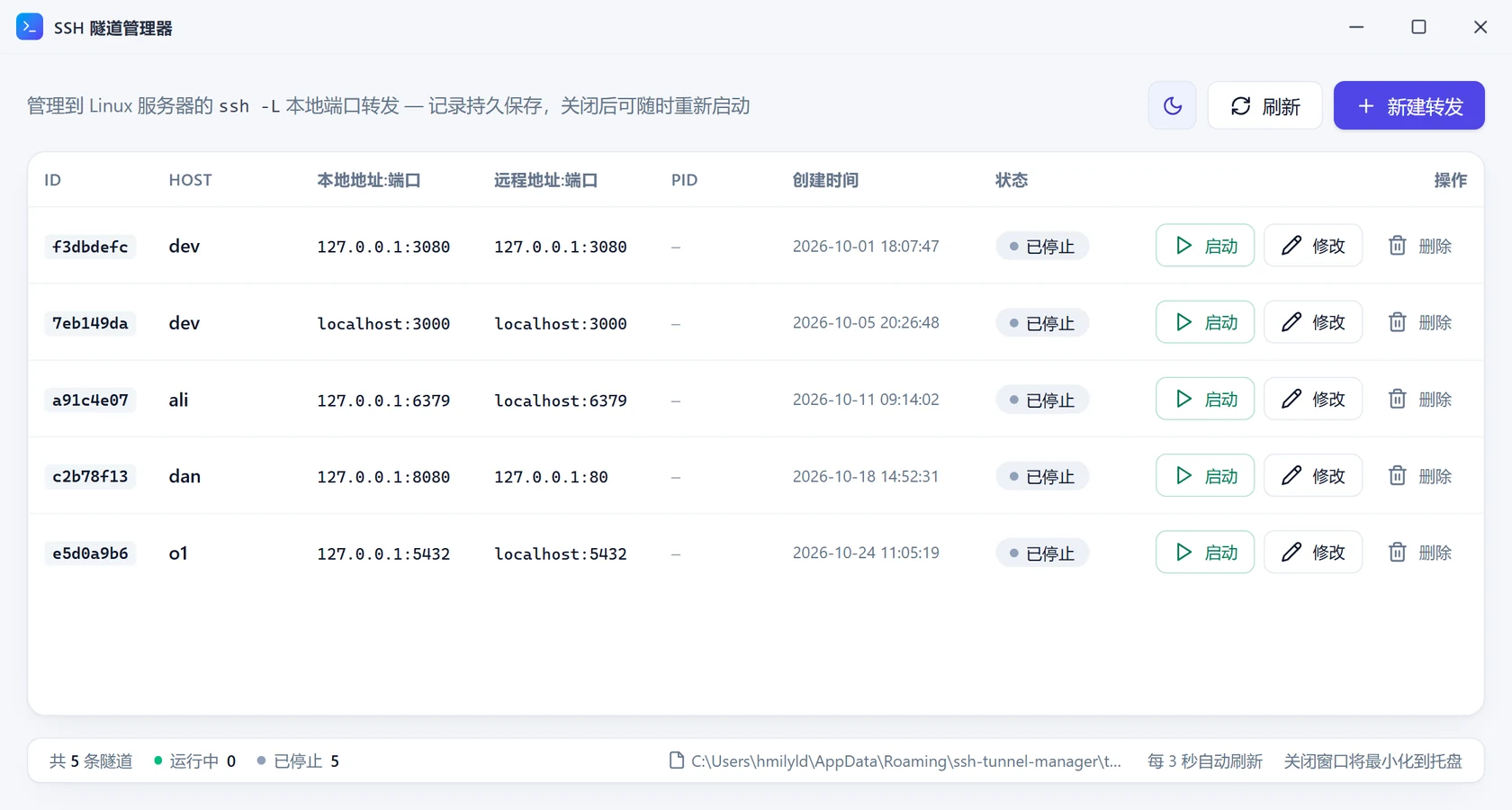
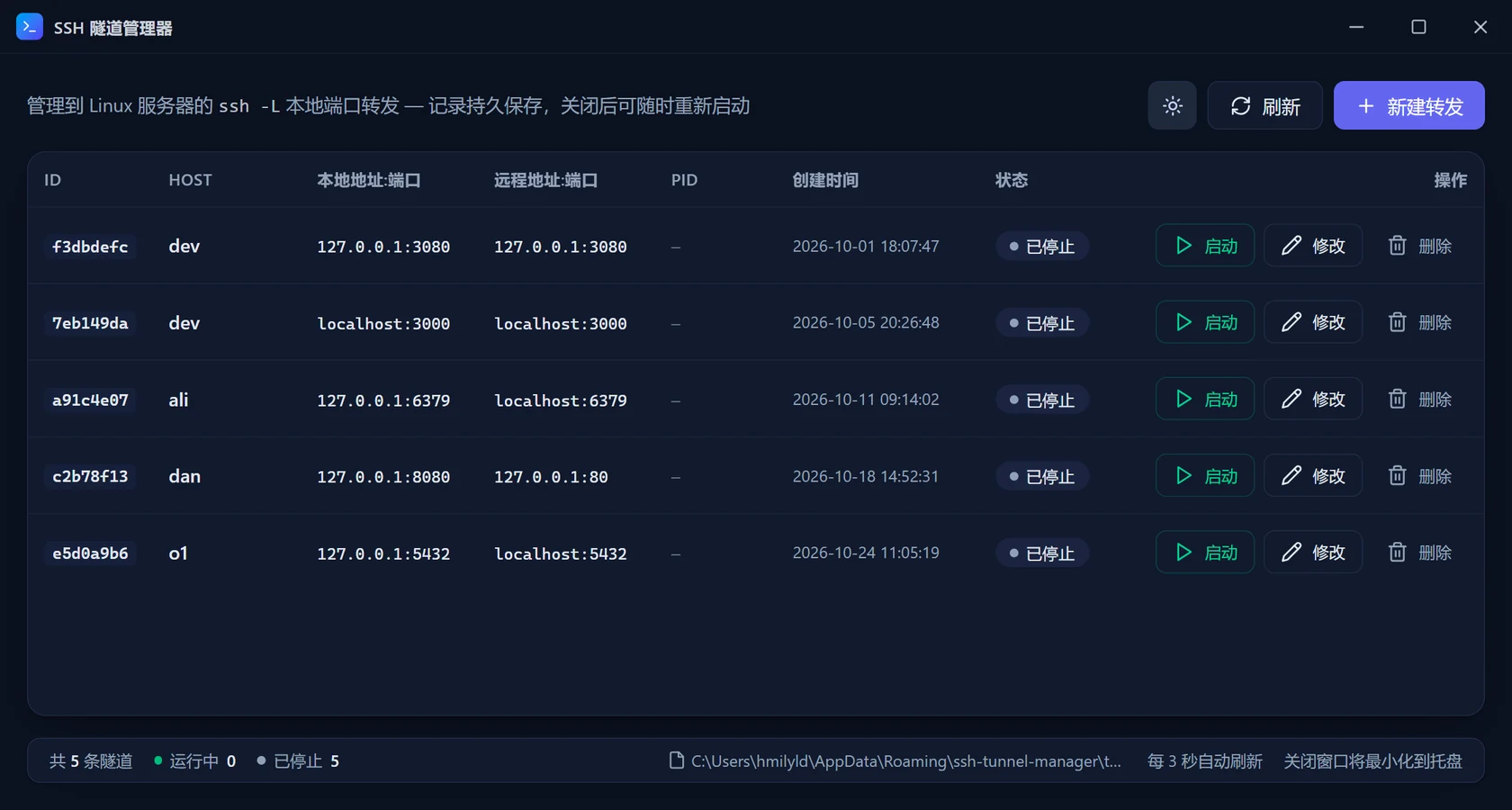
The table carries only what you actually look at: ID, host, local and remote addresses, PID, creation time, status. Running rows can be closed; stopped rows can be started, edited or deleted. The app interface is currently Chinese-only, so the screenshot shows the real UI as it is.
01 — Flags you keep forgetting
Four fields for -L, plus -N and ExitOnForwardFailure, every single time. Here there are only four inputs: host, remote address, local address, bind address.
02 — Proof it really works
A successful login is not a working forward. The app reports success only once the local port is actually listening — and when it fails, it says why.
03 — A clean shutdown
Closing the window only hides it to the tray. Records stay, PIDs go to zero, and the next launch reuses the same config.
Behaviour
How it decides
Every line below is what the code does, not a marketing claim. Details in How it works.
- Startup success
- The local bind:port is really listening (probed every 150 ms). ssh only binds -L after authentication, so a slow server is never reported as ready early.
- Startup failure
- The process exits and stderr is classified immediately — port in use, auth failure, connection refused, unresolvable host — or 18 seconds pass with no listener.
- Closing
- Graceful terminate, wait up to 1.8 s, then force. The record is kept and the PID reset, so the same config can be started again at any time.
- Passwords
- Handed to ssh through the child process environment only. Never written to tunnels.json, never logged. A wrong password is caught by a pre-check, not after a fake success.
- Process check
- Before terminating anything the process name must be ssh, so a reused PID cannot get someone else’s process killed.
Under the hood
What it actually runs
There is no embedded SSH library — it calls the system ssh. That means ~/.ssh/config, keys, ssh-agent and known_hosts all keep working exactly as before.
ssh -N \
  -o ExitOnForwardFailure=yes \
  -o ServerAliveInterval=30 \
  -o ServerAliveCountMax=3 \
  -o ConnectTimeout=15 \
  -o StrictHostKeyChecking=accept-new \
  -o BatchMode=yes \
  -L 127.0.0.1:4096:localhost:5432 \
  dev
Split across lines for readability; the arguments are passed as a single array. With password auth, BatchMode=yes becomes NumberOfPasswordPrompts=1 and the password is injected through SSH_ASKPASS.
Download
Installers are published on GitHub Releases
Windows 10 / 11 · x64
…_1.0.2_x64-setup.exe (NSIS) · …_1.0.2_x64_en-US.msi (WiX)
macOS 12+ · Apple Silicon
…_1.0.2_aarch64.dmg
The installers are not code-signed: Windows may show a SmartScreen prompt, and macOS needs right-click → Open the first time. To build from source see Development & release.
Start
First time here? Five steps to a working tunnel.