Turning “create an ssh -L forward, make sure it is really listening, kill it when you are done” into a few inputs and a table.
The problems it solves
Opening a local forward in a terminal usually means typing something like:
ssh -N -o ExitOnForwardFailure=yes -L 127.0.0.1:4096:localhost:5432 devThe command itself is not hard. What is annoying comes after:
- Flags you forget. Which of the four
-Lfields comes first, why-Nmatters, what a typo inExitOnForwardFailuredoes. - No proof it works. An ssh process that is still running does not mean the port is listening; a command that has not exited may still be stuck in authentication.
- Untidy shutdowns. Close the terminal and the forward is gone, but recreating it means retyping everything; processes you forgot about keep holding ports.
- Passwords are awkward. ssh wants an interactive terminal, and once it sits behind a GUI, who answers
password:?
The app answers each of these with one explicit behaviour — see How it works.
What it does not do
A clear boundary matters more than a long feature list:
- Not an SSH client. No terminal, no file transfer, no key or
authorized_keysmanagement. - Local forwarding only (
-L). No-Rremote forwards, no-DSOCKS proxy, no UDP. - Never stores passwords. They live in memory and in the child process environment, and disappear when the app exits.
- Never edits
~/.ssh/config. The host list is parsed read-only.
The window
There are only three parts: a top bar (description, refresh, new forward), the tunnel table, and a bottom bar (counts, version, data folder).
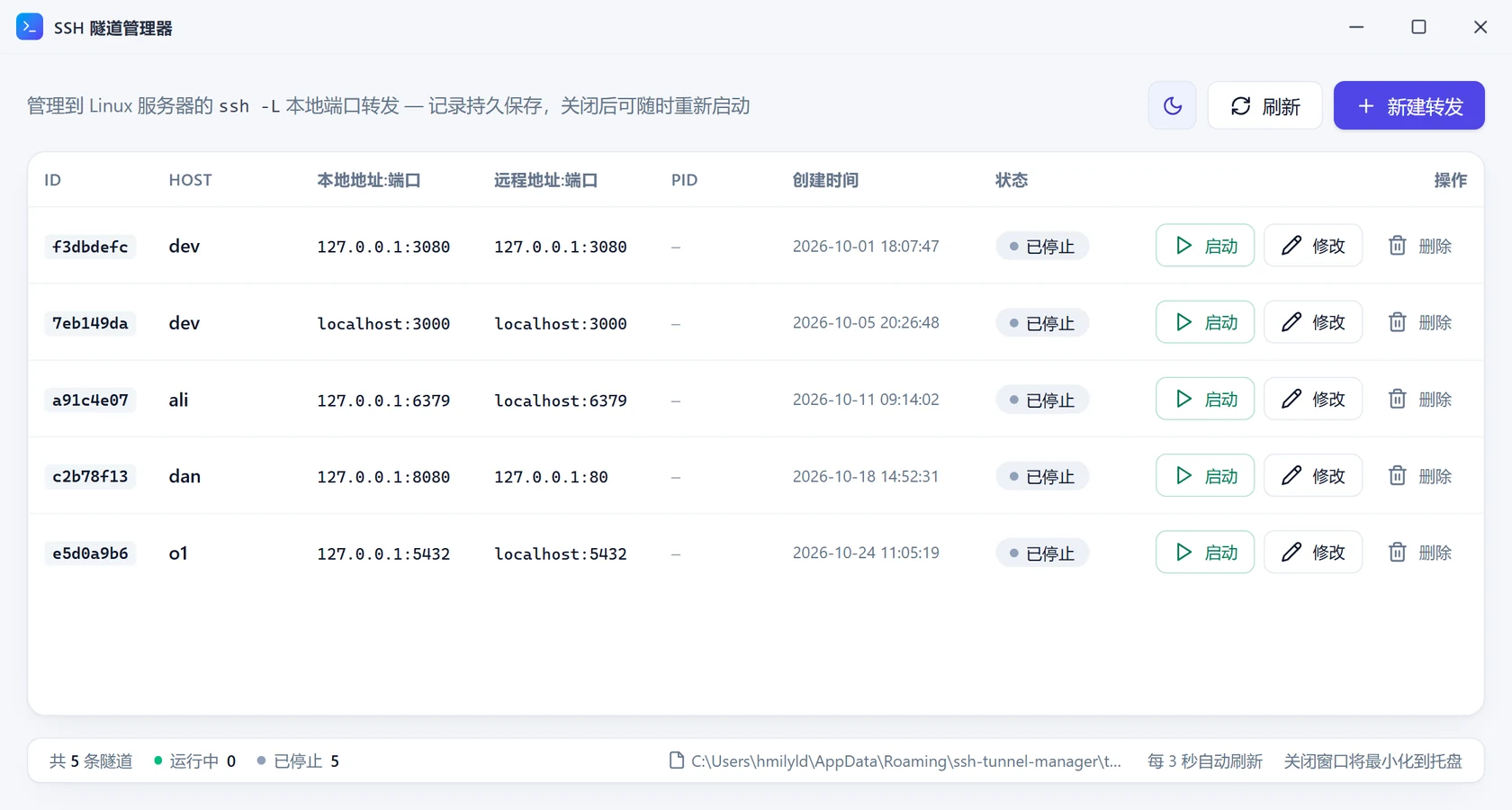
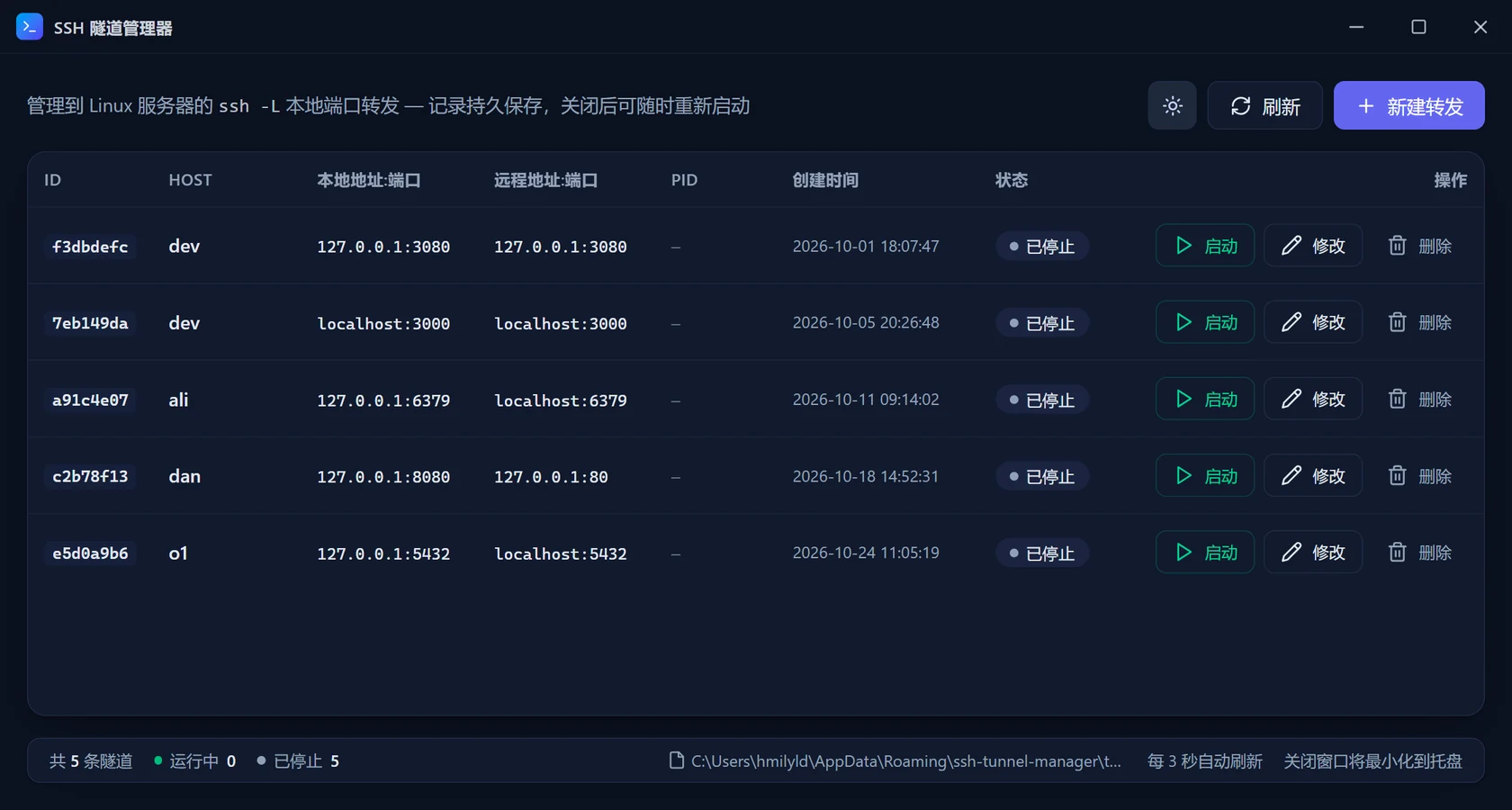
On Windows that title bar is drawn by the app (draggable, double-click to maximise). On macOS the system traffic lights are used and the custom title bar is not rendered, so you never get two title bars.
Deliberate choices
| Decision | Why | Cost |
|---|---|---|
Call the system ssh instead of embedding an SSH library | ~/.ssh/config, keys, ssh-agent, known_hosts and ProxyJump all keep working | Depends on system OpenSSH |
| Treat the listening local port as the success signal | Authentication succeeding is not the same as forwarding working | Startup can take up to 18 seconds |
| Closing stops the process but keeps the record | A forward is a long-lived asset, and toggling it is common | The list only shrinks when you delete |
| Passwords only travel in the child environment | Nothing on disk, nothing in logs, no extra fields in the config | You retype it on every start |
Next
- Not installed yet: Install
- Want one working forward right now: Quick start
- Curious about the details: How it works